Created
Apr 27, 2026
·
4
Steps
How to Connect Your WhatsApp Business Number in Affinect
This guide walks you through connecting your WhatsApp Business number to Affinect. Once connected, you’ll be able to create templates, send campaigns, and engage customers directly on WhatsApp through the platform.
Affinect
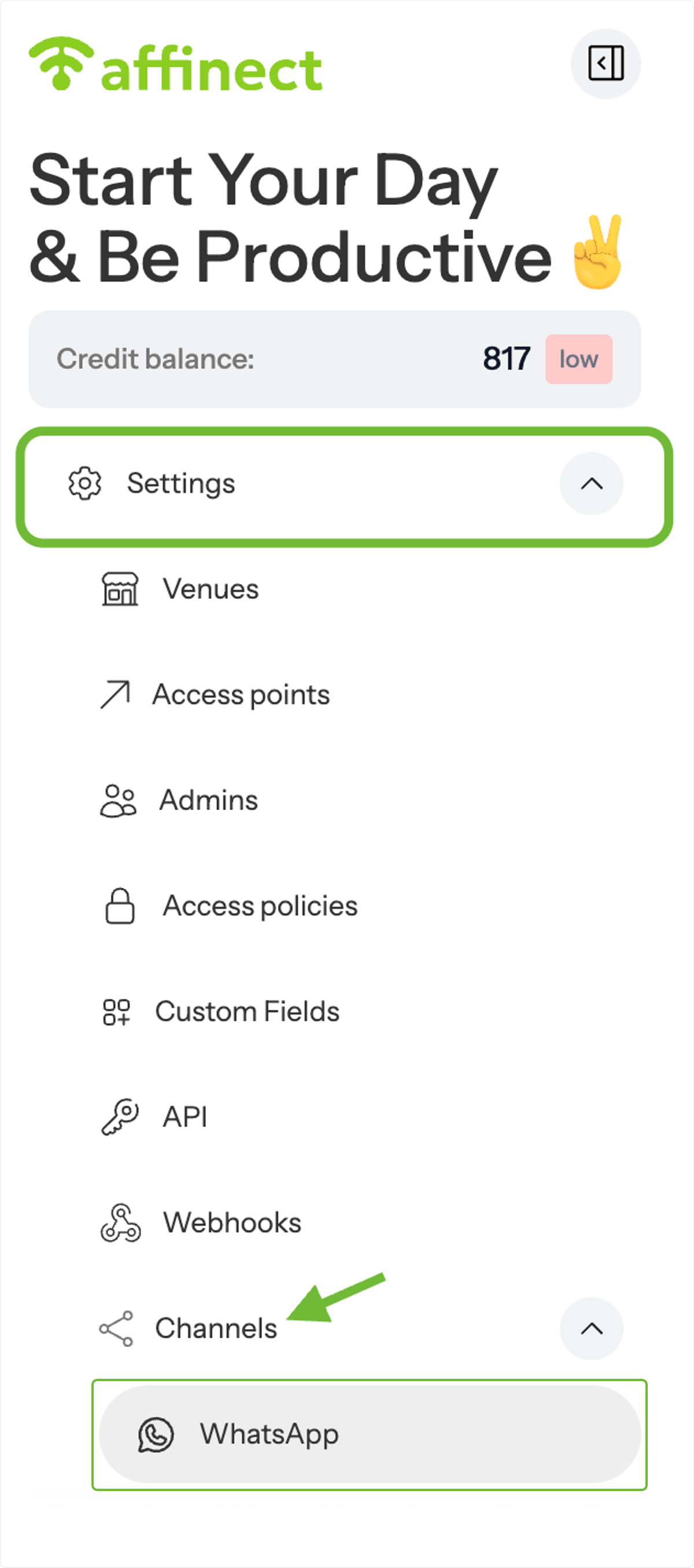
Go to WhatsApp Settings
From the left-hand menu, open Settings, then navigate to Channels and select WhatsApp (Englisch).
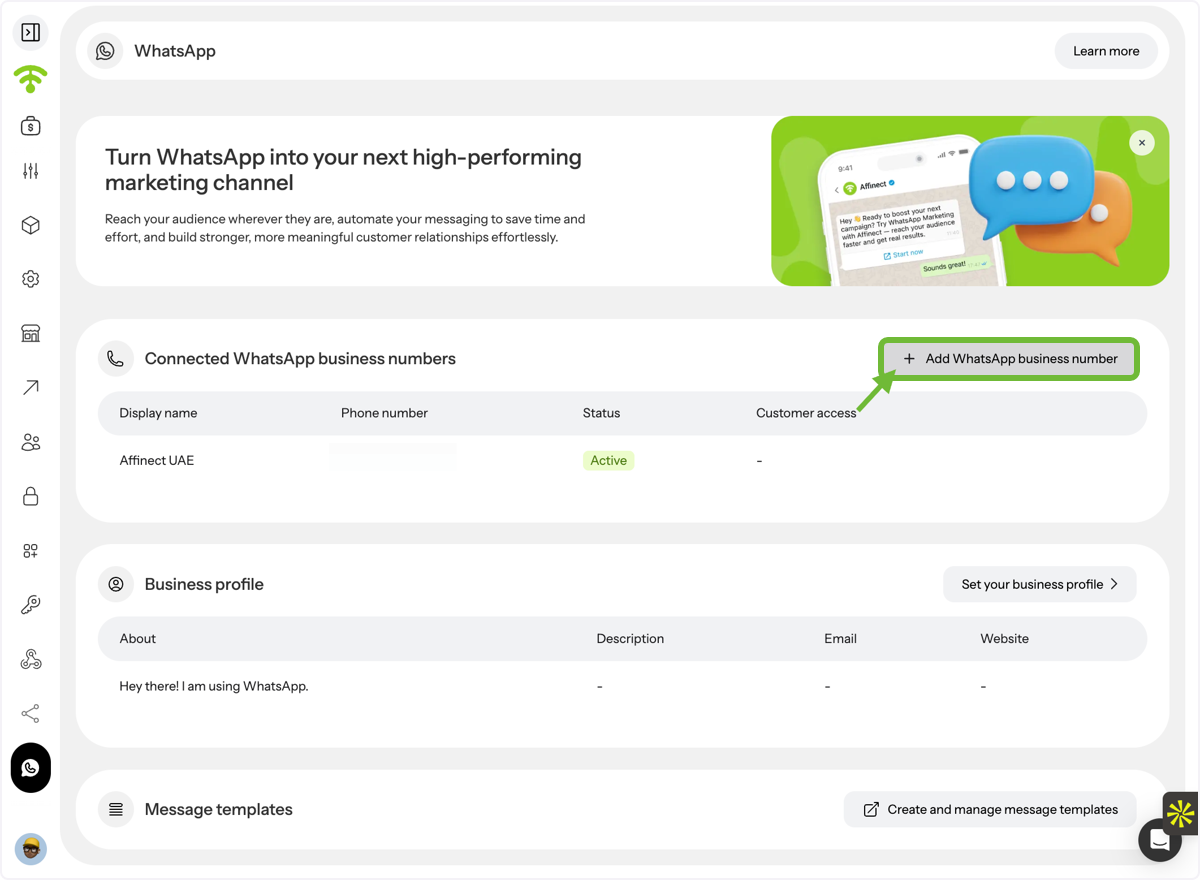
Add a WhatsApp Business Number
Click on Add WhatsApp Business Number to begin the setup process.
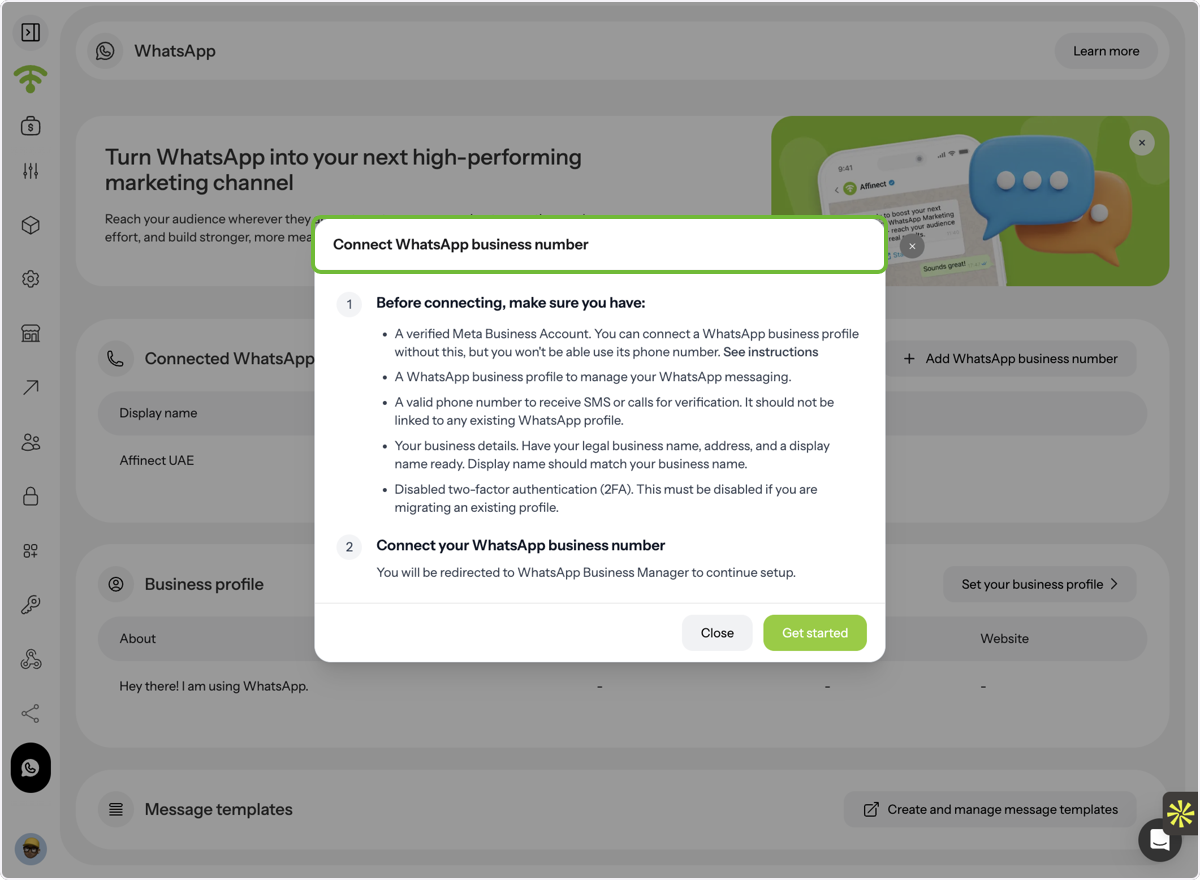
Review Prerequisites
Before connecting your number, make sure you meet all the required prerequisites listed in the setup section (e.g., access to your number, business details, and any necessary permissions).
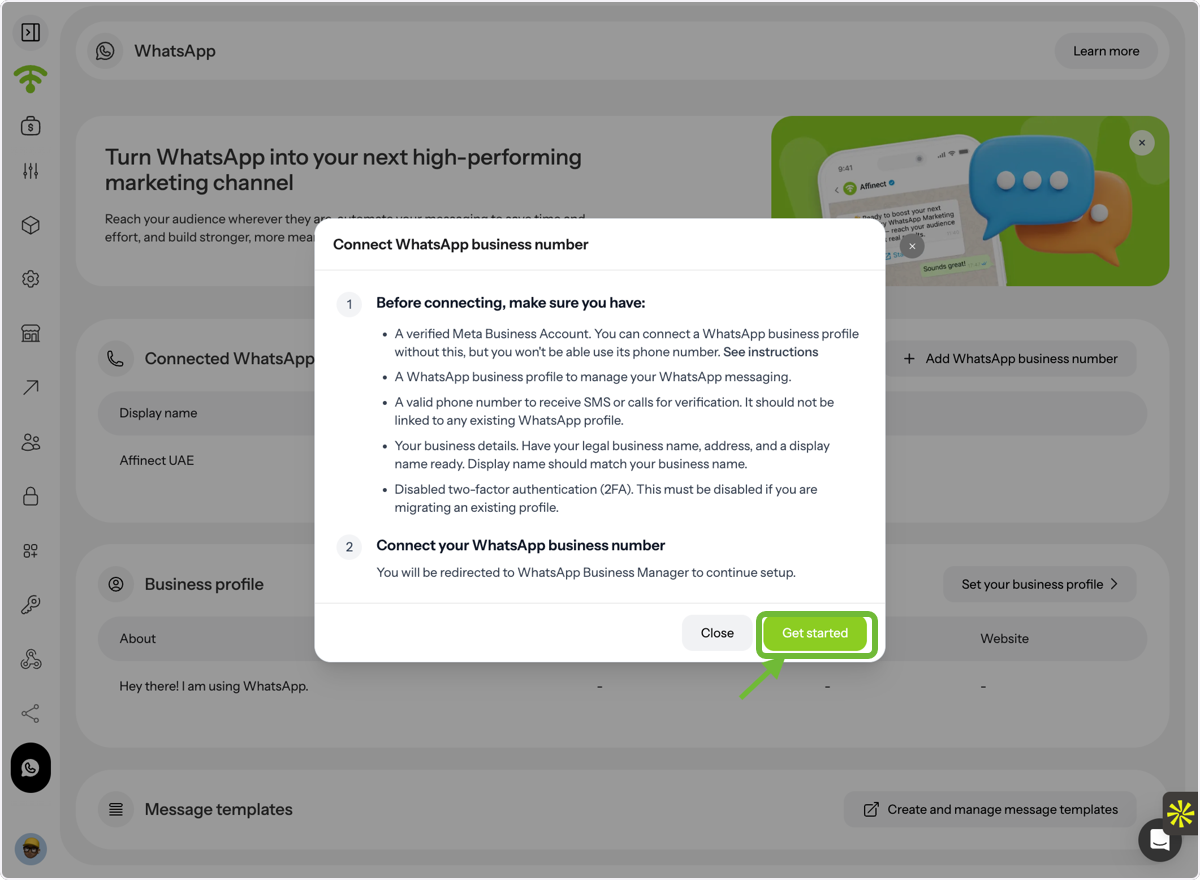
Start the Setup Process
Click Get Started and follow the guided steps to complete the connection.