
We have released one of the largest updates to Affinect so far.
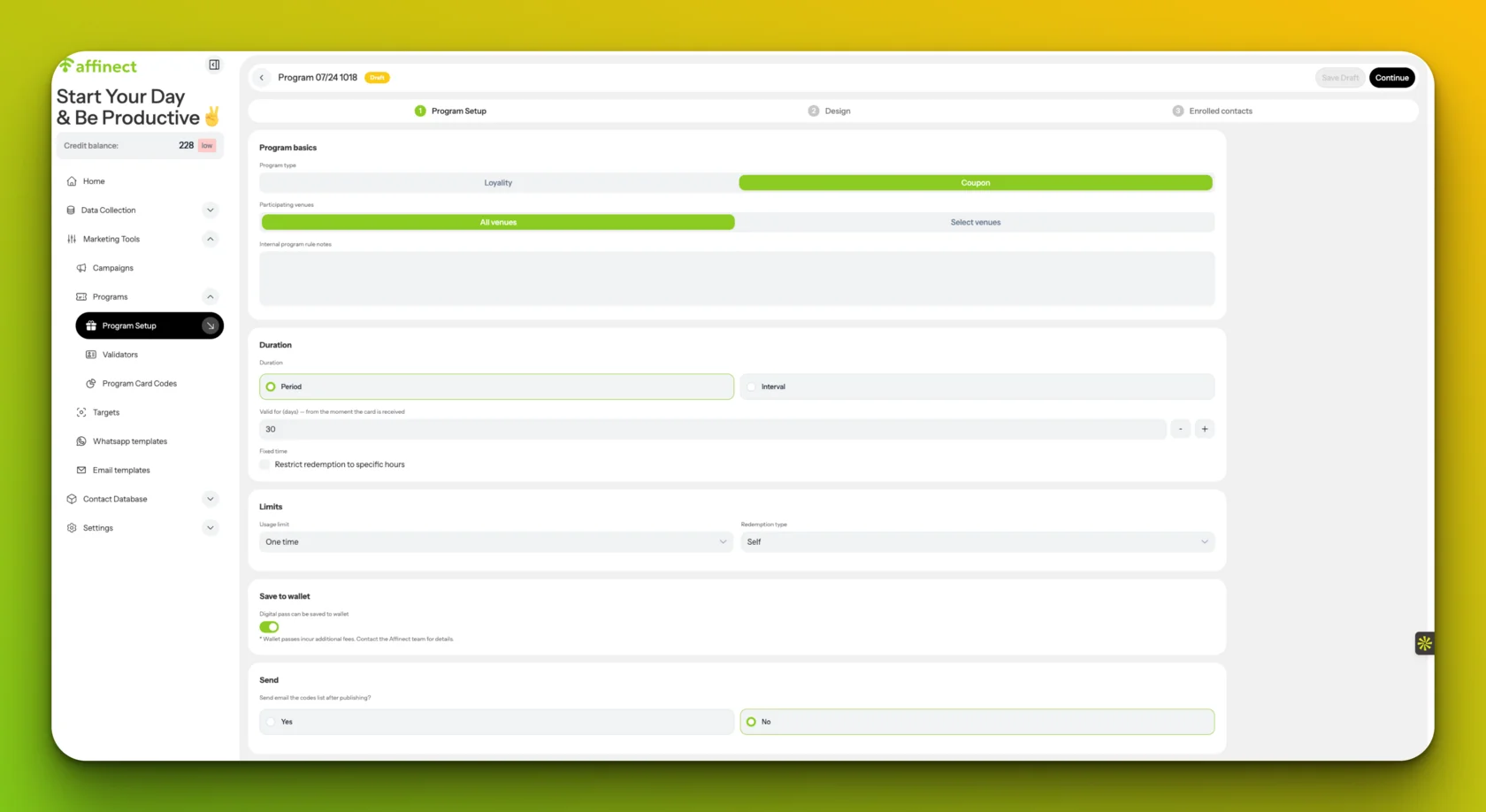
The previous Coupons area has been expanded into Programs, a new structure for creating and managing stamp loyalty cards and digital coupons across campaigns, QR landing pages, links, email, and WhatsApp.
The main change is simple: loyalty cards and coupons are no longer tied to one individual campaign.
A Program can be created once and reused across multiple customer journeys, while Affinect keeps the same customer-specific card or coupon, along with its progress, validity, rewards, and activity history.
Create complete stamp loyalty programs
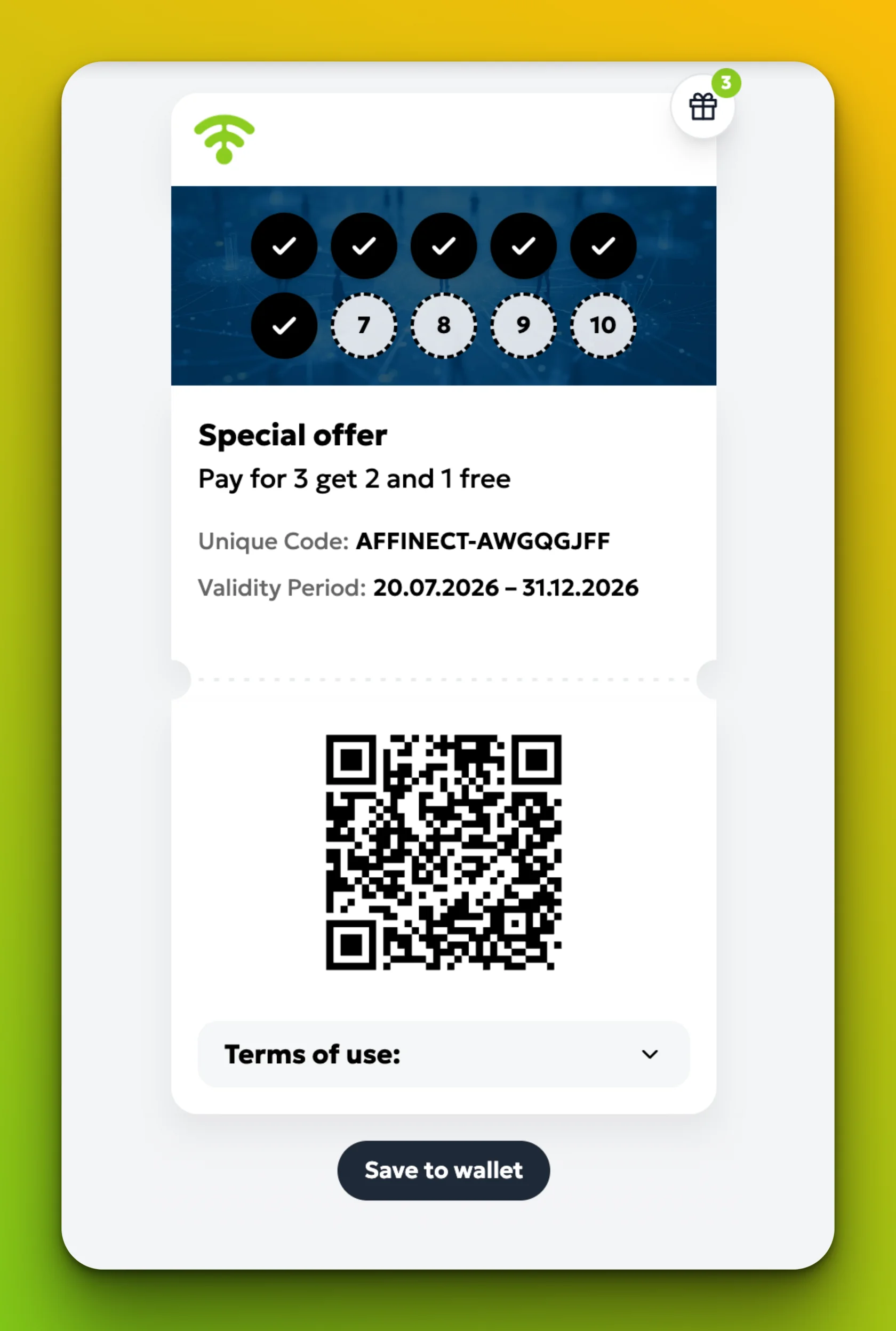
Organizations can now create stamp-based loyalty cards with:
- Between 2 and 12 stamps
- Starting stamps
- One or more reward levels
- Repeatable or one-time cards
- Card and reward expiry rules
- Participating venue selection
- Custom stamp images
- Digital, Apple Wallet, and Google Wallet designs
Rewards can be issued automatically when a customer reaches a specified stamp level.
For example, a Program could offer a free coffee at stamp 3, a dessert at stamp 6, and a larger reward when the card is completed.
Use one loyalty card across multiple campaigns and activities
The same loyalty Program can be attached to multiple campaigns, landing pages, QR codes, and customer activities.
When an existing customer encounters the Program again, Affinect retrieves their existing card instead of restarting their progress.
This means the customer keeps:
- One card
- One stamp balance
- One reward history
- One wallet pass
- One continuous activity record
Create QR and link-based enrollment journeys
Programs can be attached to dedicated landing pages that customers access using a QR code or direct link.
Customers can join the Program, open their digital card, and save it to Apple Wallet or Google Wallet.
The same link can also be distributed through email or WhatsApp.
Assign validators and control staff access
Organizations can assign specific validators to each Loyalty Program and select what they are allowed to do.
Validators can be assigned by venue and given permission to:
- Add stamps
- Redeem rewards
- Perform both actions
- Provide manager oversight
Each action is recorded against the validator, venue, customer, and Program.
Coupons have also been upgraded
Coupons now use the same Programs structure.
A coupon can be created once and reused across campaigns, landing pages, email, WhatsApp, and direct links.
Affinect checks whether the customer already has that coupon before creating another instance. This prevents unnecessary duplicates when the same offer is sent through more than one channel.
Coupon Programs support:
- One-time use
- Fixed redemption quantities
- Unlimited use
- Different validity and expiry rules
- Optional redemption hours
- Validator or self-redemption
- Digital and wallet passes
Better access, reporting, and management
Organizations can now access issued loyalty cards and coupons from both the Program and the individual Contact Profile.
Authorized users can review progress, issue stamps, inspect rewards, copy or resend links, cancel cards, and review activity history.
New reporting includes:
- Cards and coupons issued
- Wallet saves
- Apple and Google Wallet split
- Stamp and completion progress
- Rewards issued and redeemed
- Coupon usage and redemptions
- Venue activity
- Validator activity
- Engagement over time
You will now find loyalty and coupon setup under the new Manage Programs section in Affinect.
Explore stamp loyalty, reusable coupons, and wallet passes in Affinect Programs.
Explore the Affinect platform